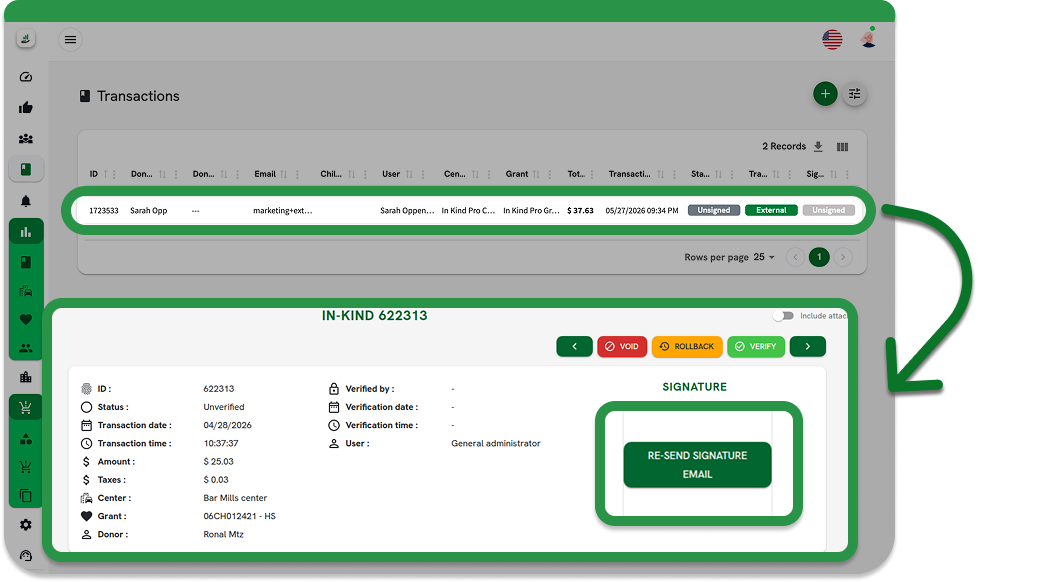
External Transactions
External transactions
Allows administrators to record in-kind donations for individuals who are not registered in the In-Kind Pro system.
Before you begin
A configured Center and Grant are required. No Donor account is needed.
Permissions required
This option is only available if the agency has the External Transactions feature enabled and the user has the Create External Transactions permission under Manage Transactions.
Steps
Select External transaction type
On the New Transaction screen, select External.
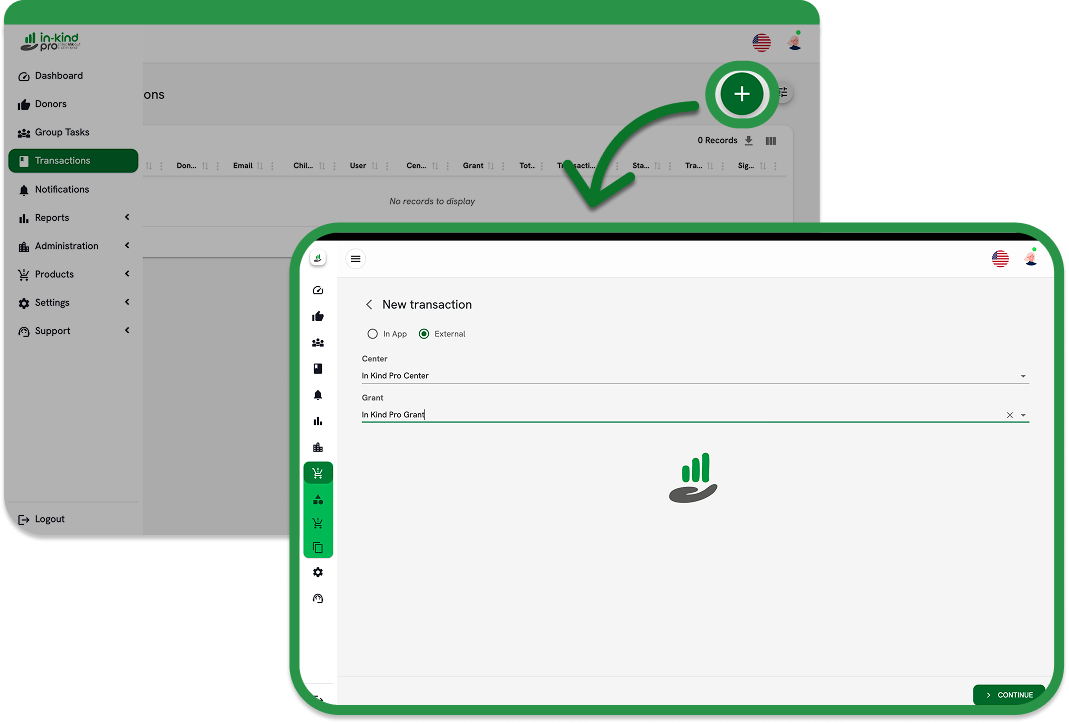
Select Center and Grant
Search and select the Center and Grant, then tap Continue.
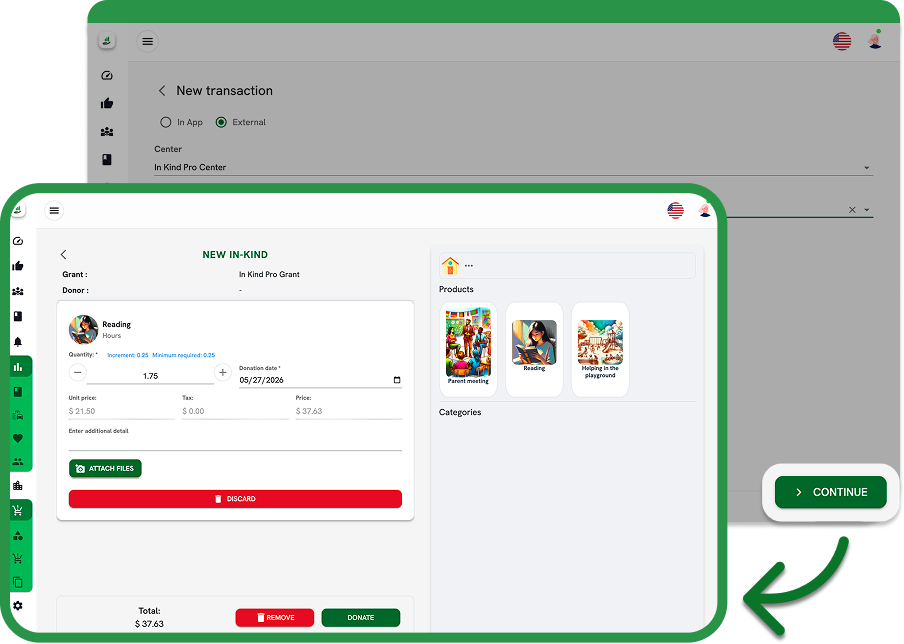
Add donated products
Add the donated products from the catalog in the right panel, then tap Donate.
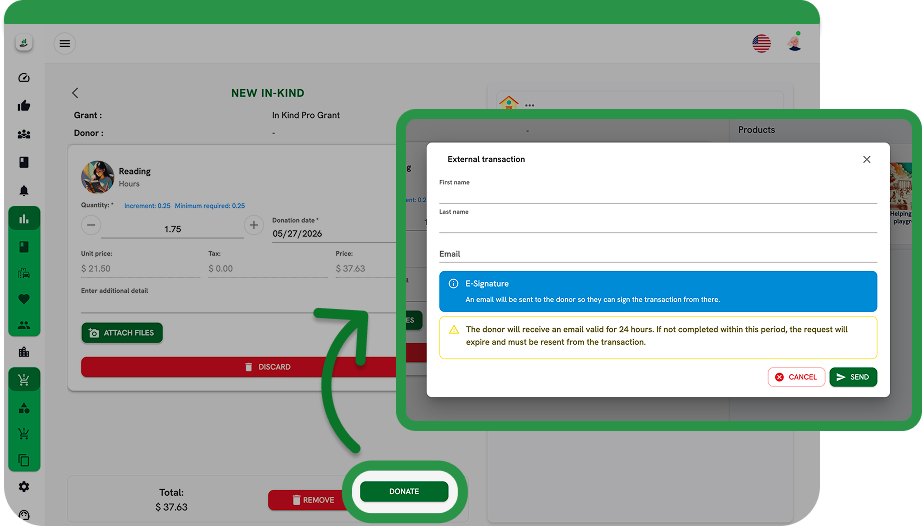
Enter donor details
A form will appear requesting the donor's First name, Last name, and Email address. Once saved, a secure signing link valid for 24 hours is automatically generated and sent to the email address provided.
Notes
If the donor does not sign within 24 hours, the link expires and the administrator must resend it from the transaction record.