Inheritable Permissions
You can create administrators and restrict which permissions they are allowed to modify or inherit to other users.
1. Select a user.
2. Go to the Permissions section.
3. In Manage Users, locate the Create User permission.
4. Click the lock icon next to this permission A1.
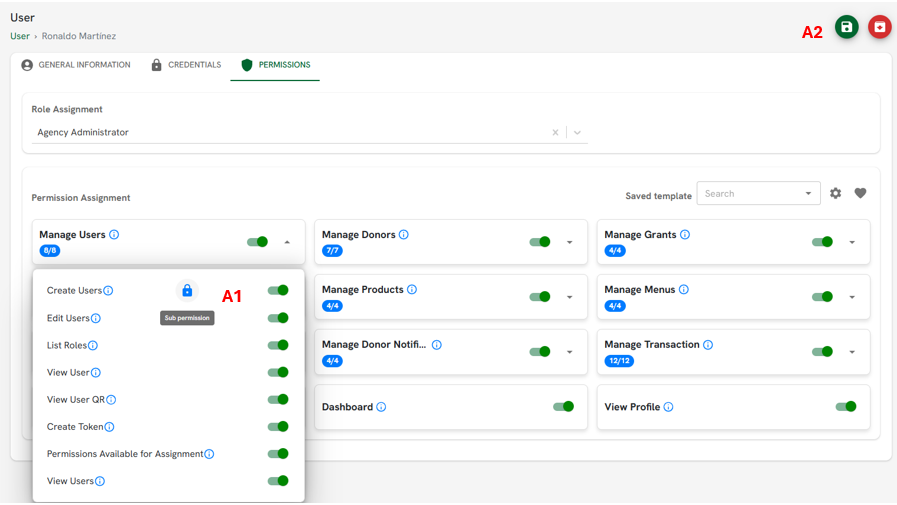
Figure A
5. A list of permissions will be displayed—select the permissions that you do not want this user to be able to modify or pass on to other users.
6. To finish, click the Save icon to apply the changes A2.
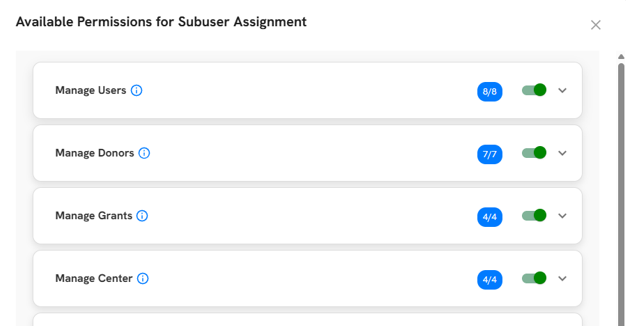
Figure B
Related Articles