Grants
Follow these steps to analyze performance and goal tracking across different locations and grants.
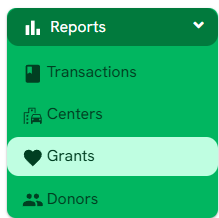
1. Go to "Reports" > "Grants" .
2. Template Selection (Data Views)
Before applying filters, choose how you want to visualize the data using the templates located in the left panel:
| Name | Description |
| By Goal | Displays the total number of transactions and the current status of each goal, comparing verified and unverified in-kind donations against the set progress percentage. |
3. Applying Advanced Filters
Use the following fields to narrow down your search results:
- Financial Ranges: Filter by Goal Range (total target amount), In-kind Range (verified amounts), or Unverified Range (pending amounts).
- Activity Metrics: Narrow results by Transactions Range (number of entries) or Progress Range (percentage of goal completed).
- Status & Identity: Filter by Grant Status (Active/Inactive), specific Grant names, or associated Centers.
- Dates: Use Occurrence Date to see activity within a specific timeframe.
Filter Actions:
- Click Apply Filter to execute your search.
- Click Clear Filter to reset all fields and return to the default view
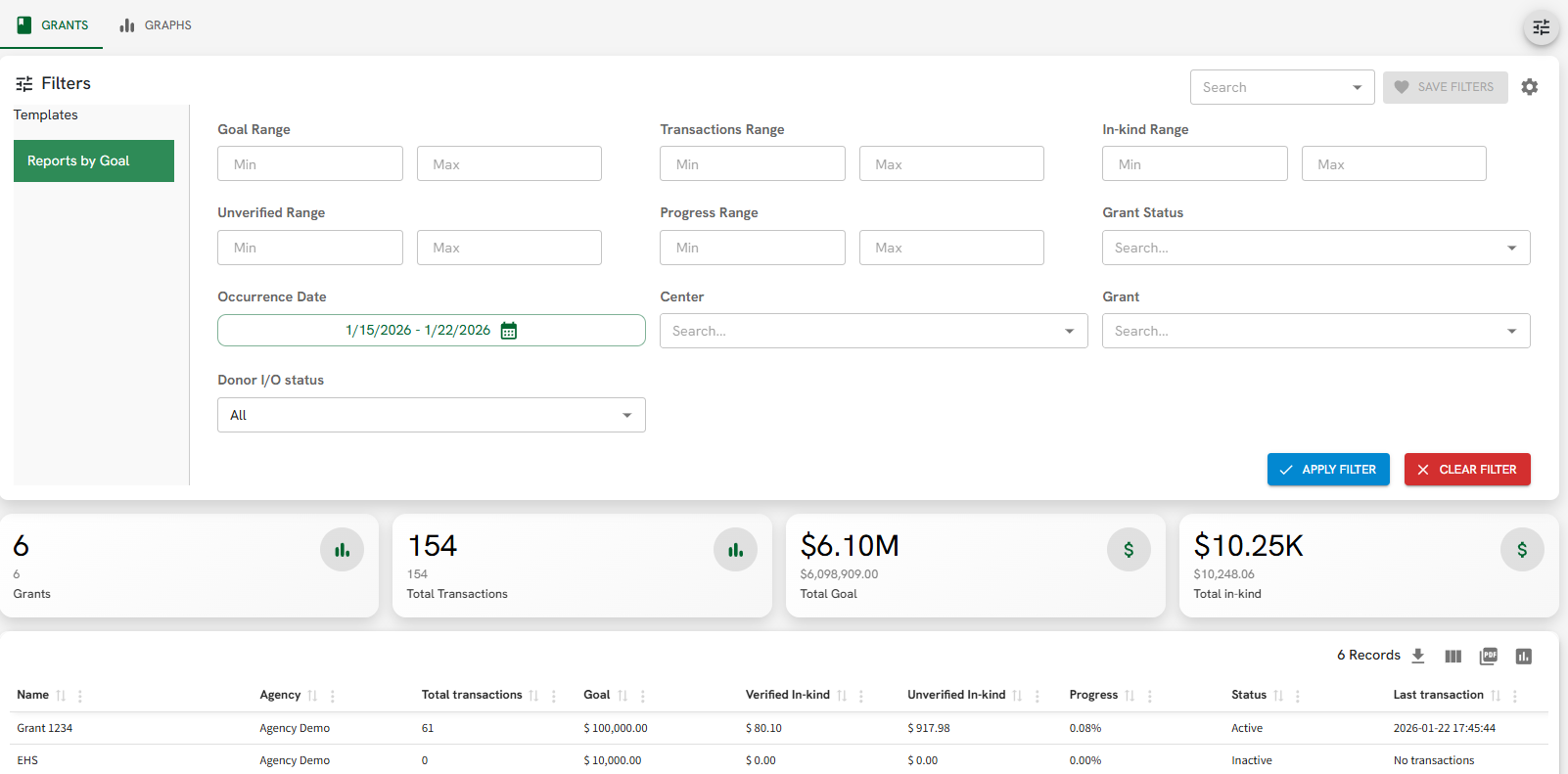
Figure A.
4. Exporting Data
Above the records table, you will find icons to export your current filtered list into Excel (CSV) or PDF formats.
5. Data Import
The system supports bulk data entry through two primary methods:
- CSV Import: Upload large volumes of transaction data using a structured Excel/CSV template.
- PDF Import: An advanced tool to extract and automatically import information directly from PDF documents or official receipts.
6. Sharable Report
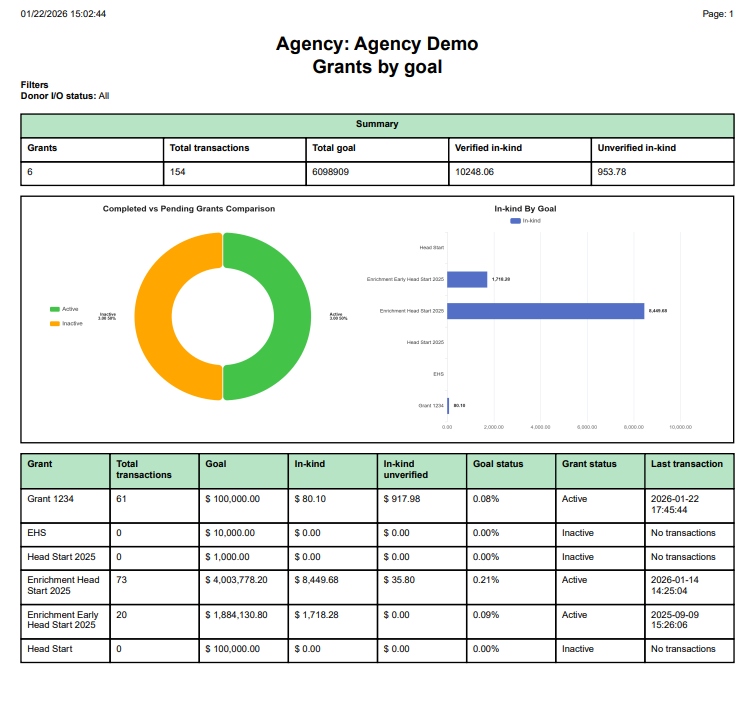
This executive report (as shown in the example) provides a high-level summary of center performance.
- Comparative Analytics: Includes a "Completed vs Pending Grants Comparison" doughnut chart showing the distribution of Active versus Inactive grants.
- In-kind Performance: A horizontal bar chart ("In-kind By Goal") compares the total in-kind value raised across different grants, such as Head Start or EHS.
- Detailed Metrics Table: The report provides a row-by-row breakdown including:
- Total Transactions: Total volume of activity.
- Goal vs. Progress: The target amount compared to the current "Goal Status" percentage.
- Verification Status: Split between In-kind (verified) and In-kind unverified.
- Last Transaction: The exact date and time of the most recent activity for that grant.