Deactivate Donors
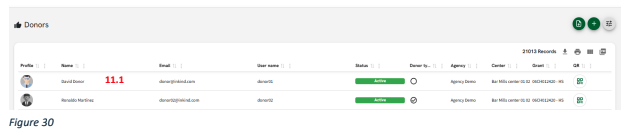
11.1. To deactivate a donor user, click on the donor you wish to update, as shown on the screen. (Figure 30).
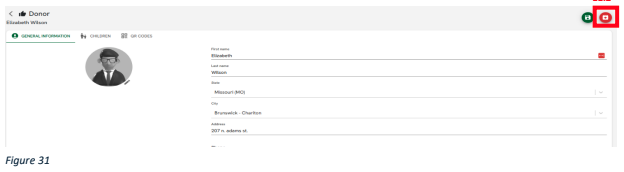
11.2. With the donor user selected, click the “Deactivate” button displayed on the screen. (Figure 31).
11.3. A confirmation box will appear; click the “Deactivate” button to proceed (Figure 32).
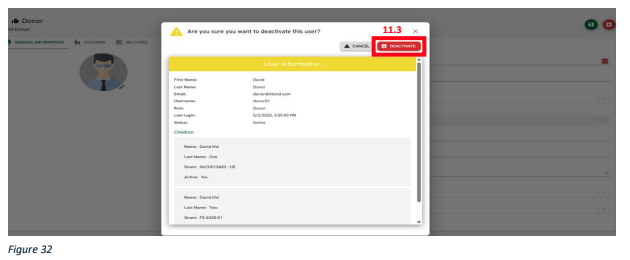
11.4. If you do not wish to make any changes, click the “Cancel” button.
Related Articles